
Voice Capture
Record a voice note in Docpipe and file it into your documentation.
When something is easier to say than to type — after a call, an incident, or a hallway conversation — you can capture it by voice. Voice notes go through the same proposal-and-review flow as a Slack capture, so the result is the same: a reviewed change to the right document.
Record a voice note
- Select Record a voice note in the top bar.
- Record your note. You can pause and resume, then review the recording before sending.
- Submit it.

Docpipe confirms with "Voice note captured — transcribing…" and transcribes what you said. Once the transcript is ready, the note is Ready to file.
Review the transcript before filing
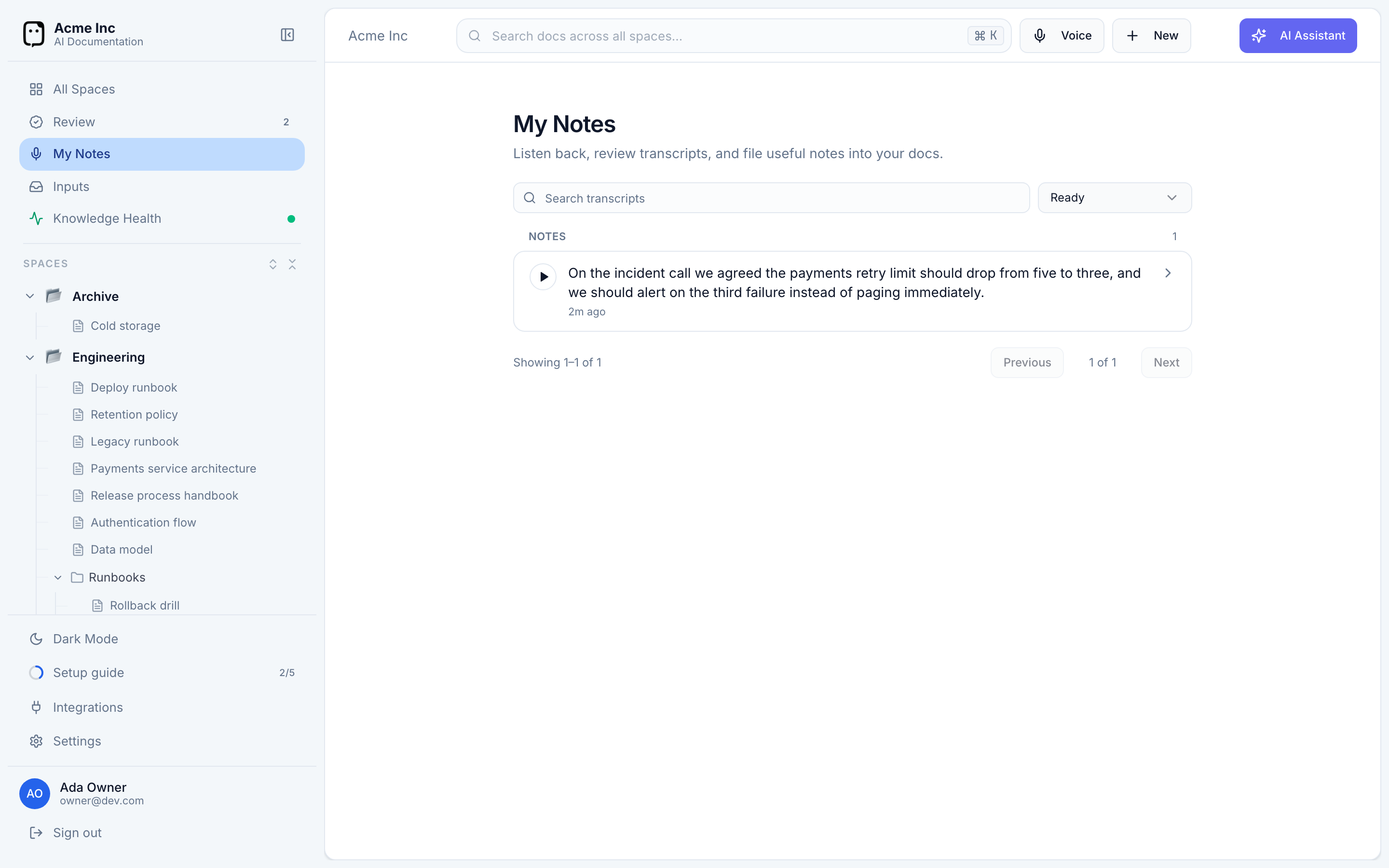
Your voice notes appear under My Notes, a personal inbox that only you can see. For each note you can:
- Check the transcript — it's editable, so you can fix anything the transcription got wrong before it goes any further.
- File into docs — send the transcript through the capture flow to become a proposal.
- Dismiss — keep the recording for your records without filing it.
Each note shows a plain-language state as it moves along: Transcribing, Ready, Awaiting review (once a proposal is waiting on a doc owner), Filed, or Dismissed.
Voice capture is handy right after a call or an incident, when talking through what happened is faster than writing it up. Record it before the details fade — you can tidy the transcript, then refine the resulting proposal during review.