
AI Writing & Research
Inline AI Edits
Improve, shorten, expand, or fix selected text in place.
The same Ask AI menu that writes new content also edits what's already there. Select any text and Ask AI switches to editing actions that rewrite just that selection.
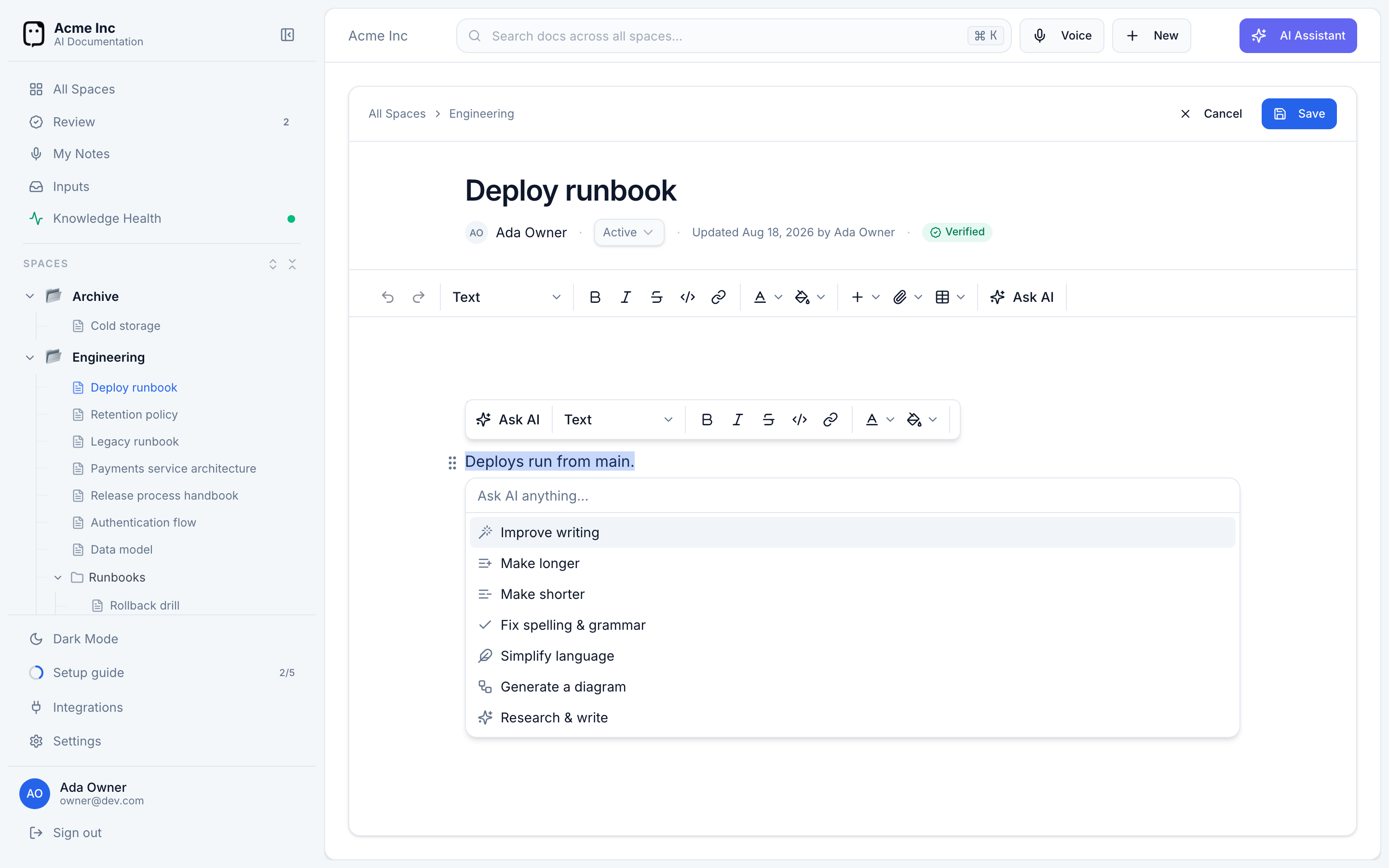
Edit a selection
Select the text you want to change, then open Ask AI (⌘J, the toolbar button, or the block menu). With text selected, you'll see:
- Improve writing — tighten and clarify the wording.
- Make longer — expand it with more detail.
- Make shorter — condense it.
- Fix spelling & grammar — correct mistakes only.
- Simplify language — make it plainer and easier to read.
You can also type a custom instruction — "make this more formal", "translate to Spanish", "turn this into a bulleted list" — and it rewrites the selection accordingly.
Review the rewrite
The edit is shown as a preview; your original text stays untouched until you decide:
- Replace selection — swap your text for the rewrite.
- Insert below — keep the original and add the new version underneath.
- Try again — regenerate.
- Discard (Esc) — keep your original as-is.
If a generation ever fails midway, Docpipe restores your document to exactly how it was — you won't lose the text you selected.