
Global Search
Jump straight to any document with the command palette.
Global search is the fastest way to find and open a document. Unlike the web assistant, it doesn't write an answer — it takes you to the page.
Open search
Press ⌘ K (or Ctrl K), or select the search box in the top bar, then start typing. Search covers every space you have access to.
Results appear once you've typed five characters — until then, it shows how many more to type. Before you type anything, it lists your Recently updated documents, so a quick ⌘K often gets you where you're going in a keystroke or two.
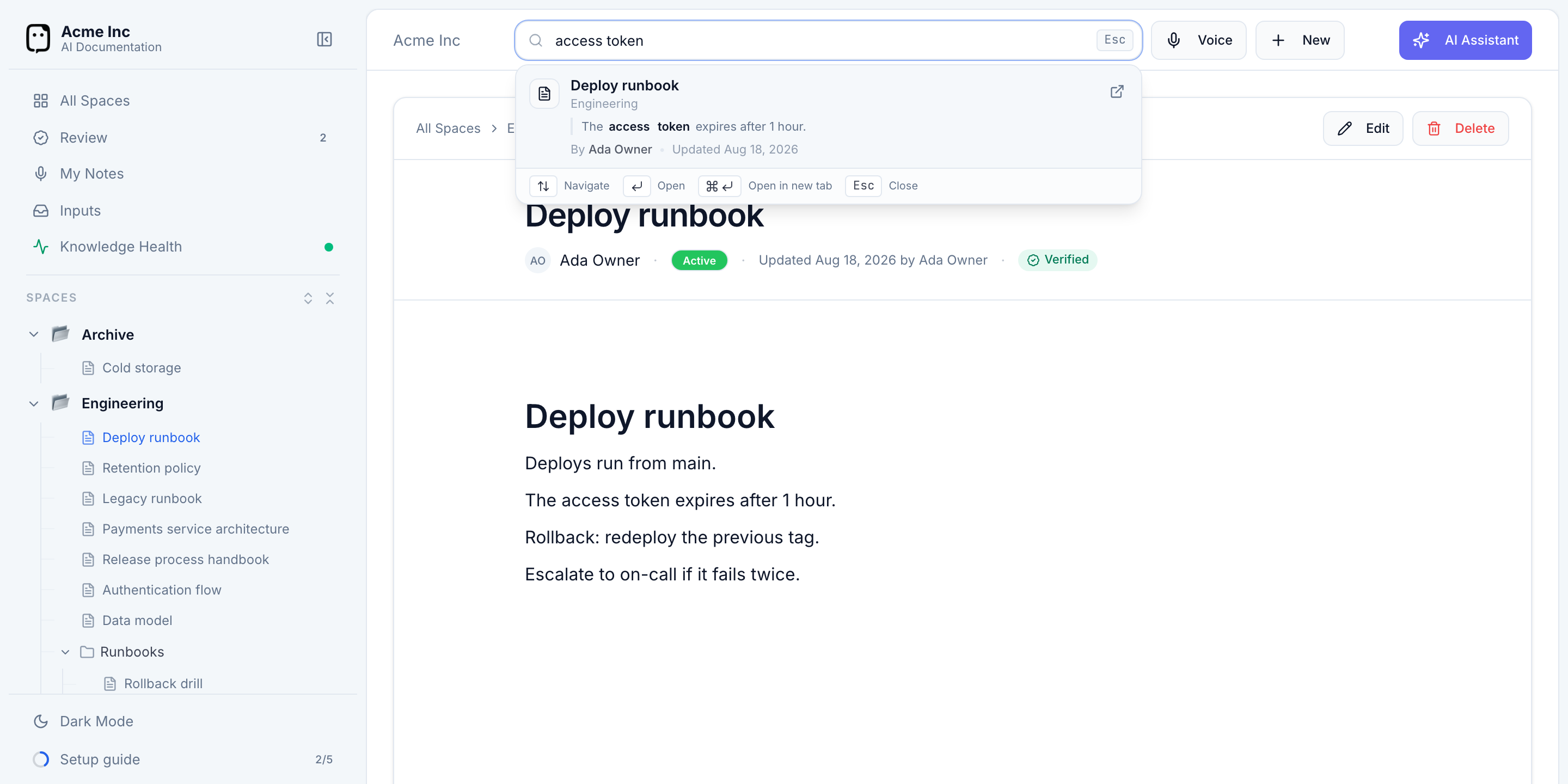
Read the results
Each result shows the document's title, the space and folder it lives in, a snippet with your search terms highlighted, its author, and when it was last updated — enough to pick the right one at a glance.
Navigate with the keyboard:
- ↑ / ↓ — move between results
- Enter — open the selected document
- ⌘ / Ctrl + Enter — open it in a new tab
- Esc — close search
Search or ask?
- Search when you know roughly which document you want and just need to get to it.
- Ask the assistant when you want an answer synthesized from across your docs, with sources to check.