
Web Assistant
Ask Docpipe's in-app assistant about the open document or your whole knowledge base.
The AI Assistant lives inside the Docpipe app, alongside whatever you're reading. Use it to ask about the document you have open, or to search your entire knowledge base — without switching to Slack.
Open the assistant
Select AI Assistant in the top bar. It opens as a panel beside your document (or a sheet on mobile). Before your first question, it offers a few quick prompts to get you started:
- Summarize this document
- What are the key points?
- Are there any outdated sections?
- Who is the intended audience?
Select one, or type your own question and press Enter.
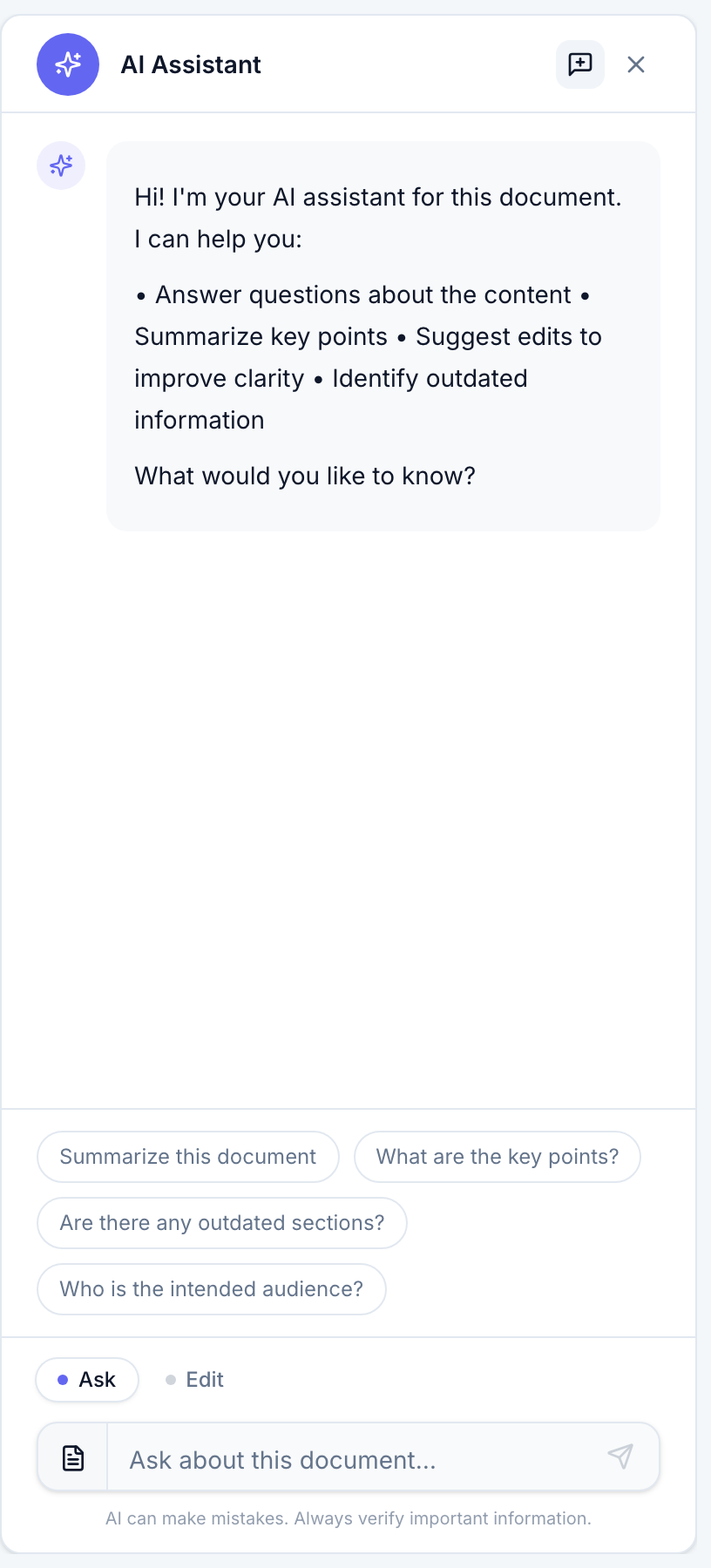
Choose what to ask about
A small control to the left of the input sets the scope of your question:
- This document — answers only from the document you have open. Best for "summarize this," "what does this section mean," or "is anything here outdated."
- All documents — searches your whole knowledge base. Best for "how do we handle X," where the answer might live in another document.
The placeholder tells you which scope you're in — Ask about this document… or Ask across your knowledge base….
Read the answer
Answers stream in as you watch. For an All documents question, the assistant lists its Sources beneath the answer — the documents it drew from, as links you can open to verify. (Single-document answers don't show a separate Sources list, because the source is the document you're already reading.)
Every answer carries the reminder that AI can make mistakes — always verify important information, which is exactly what the sources are for.
Keep the conversation
The assistant remembers your conversation, so you can ask follow-up questions and it holds the context. When you come back later, your last thread is still there — and each document keeps its own thread, separate from your general knowledge-base thread, so reopening a document picks up where you left off.
To start over, select New chat in the panel header.
Assistant or search?
The assistant writes an answer. If you just want to find and open a specific document, use Global search instead — it's faster for getting to a page.