
Account & Billing
Your Profile
Your name, sign-in, and how you appear across Docpipe.
Your profile is how you appear to teammates across Docpipe. Manage it under Settings → Profile.
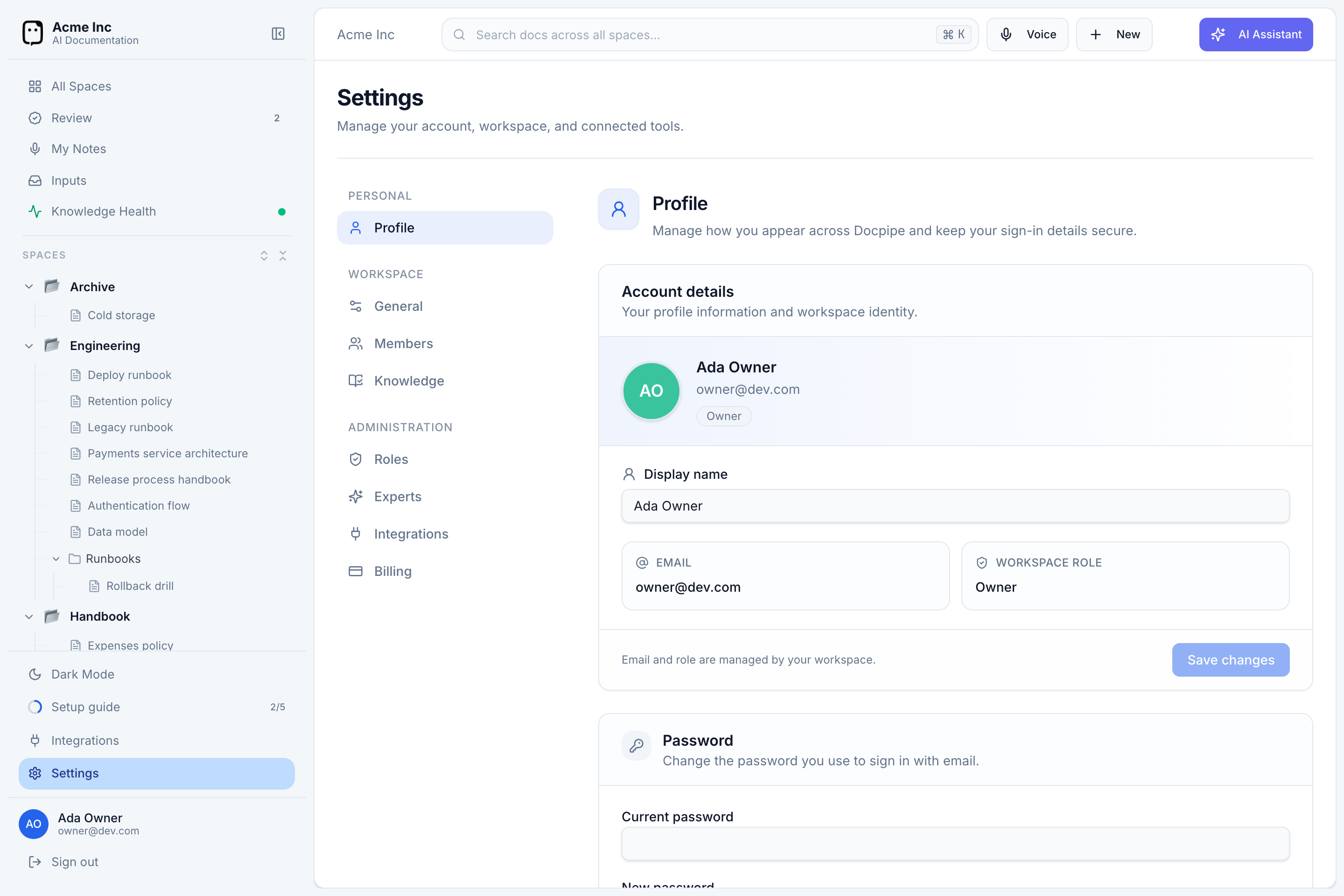
Account details
- Display name — the name shown on your documents, comments, and avatar. Edit it and select Save changes.
- Email and Workspace role are shown here but managed by your workspace — you can't change them yourself. To change your role, ask an organization owner or admin.
Your avatar comes from the account you signed in with (for example, your Google photo); there's no separate upload.
Password
If your workspace has email sign-in enabled, the Profile page also has a Password section:
- If you signed up with Google, you can set a password to sign in with email as well.
- If you already use a password, you can change it here.
Passwords must be at least 8 characters.
Your profile is personal — these settings follow you, and changing your display name updates it everywhere in the workspace at once.