
Working with Documents
Templates
Start a new document from a curated, ready-to-fill structure.
A blank page is the hardest way to start documentation. Docpipe ships with a set of curated templates — proven structures for the documents teams write most often — so you begin with the right headings and prompts already in place, and just fill in your specifics.
Start from a template
Select New document to open the Create a document gallery:
- Under Start with a template, browse the templates — filter by category (Engineering, Product, Operations, Support, Meetings) or search by name.
- Select one to see a live preview on the right. The title prefills from the template; edit it if you like.
- Choose a destination — the space and, optionally, the section it should live in.
- Select Create document.
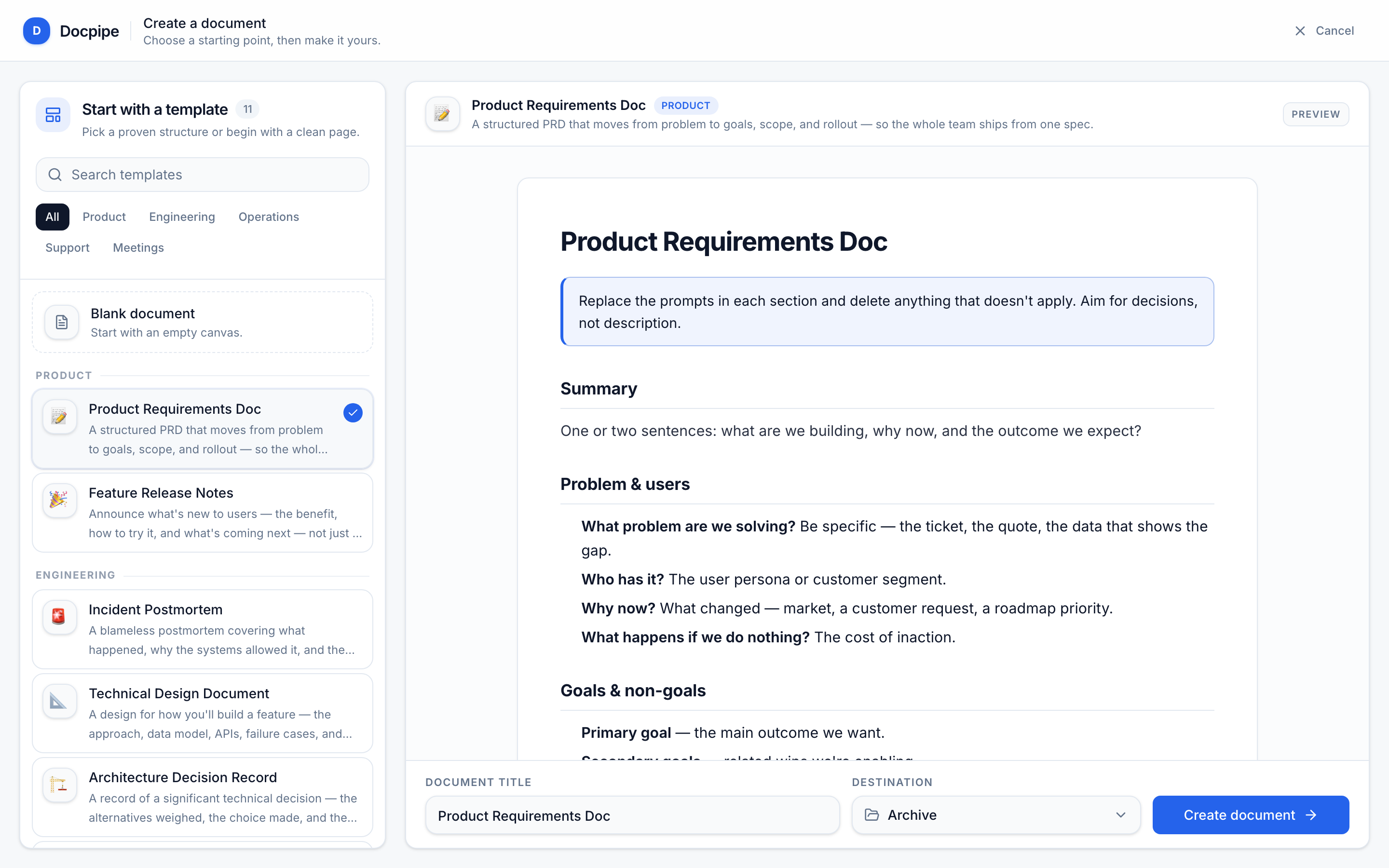
Prefer a clean slate? Choose Blank document to start with an empty page.
The templates
Product
- Product Requirements Doc — moves from problem to goals, scope, and rollout, so the whole team ships from one spec.
- Feature Release Notes — announces what's new to users: the benefit, how to try it, and what's next.
Engineering
- Incident Postmortem — a blameless account of what happened, why the systems allowed it, and the changes that prevent a repeat.
- Technical Design Document — the approach, data model, APIs, failure cases, and rollout, reviewed before code.
- Architecture Decision Record — a significant decision, the alternatives weighed, and the trade-offs accepted.
- Engineering Onboarding — a new engineer's first week: access, running the code, how it's organized, and a first task.
- API Reference — an endpoint-by-endpoint reference covering auth, rate limits, pagination, and errors.
Operations
- Service Runbook — so anyone on call can detect, diagnose, and fix a service's common failures — written for 3am, not for the author.
Support
- Troubleshooting Guide — a symptom-first guide so support can resolve common issues without escalating.
Meetings
- Meeting Notes — captures decisions, the reasoning behind them, and owned action items.
- Retrospective — what went well, what didn't, and concrete, owned improvements for next time.
A template is only a starting point. Once the document is created, it's an ordinary document — add, remove, and restructure anything to fit how your team actually works.