
Knowledge Health
A live dashboard of what needs attention across your knowledge base.
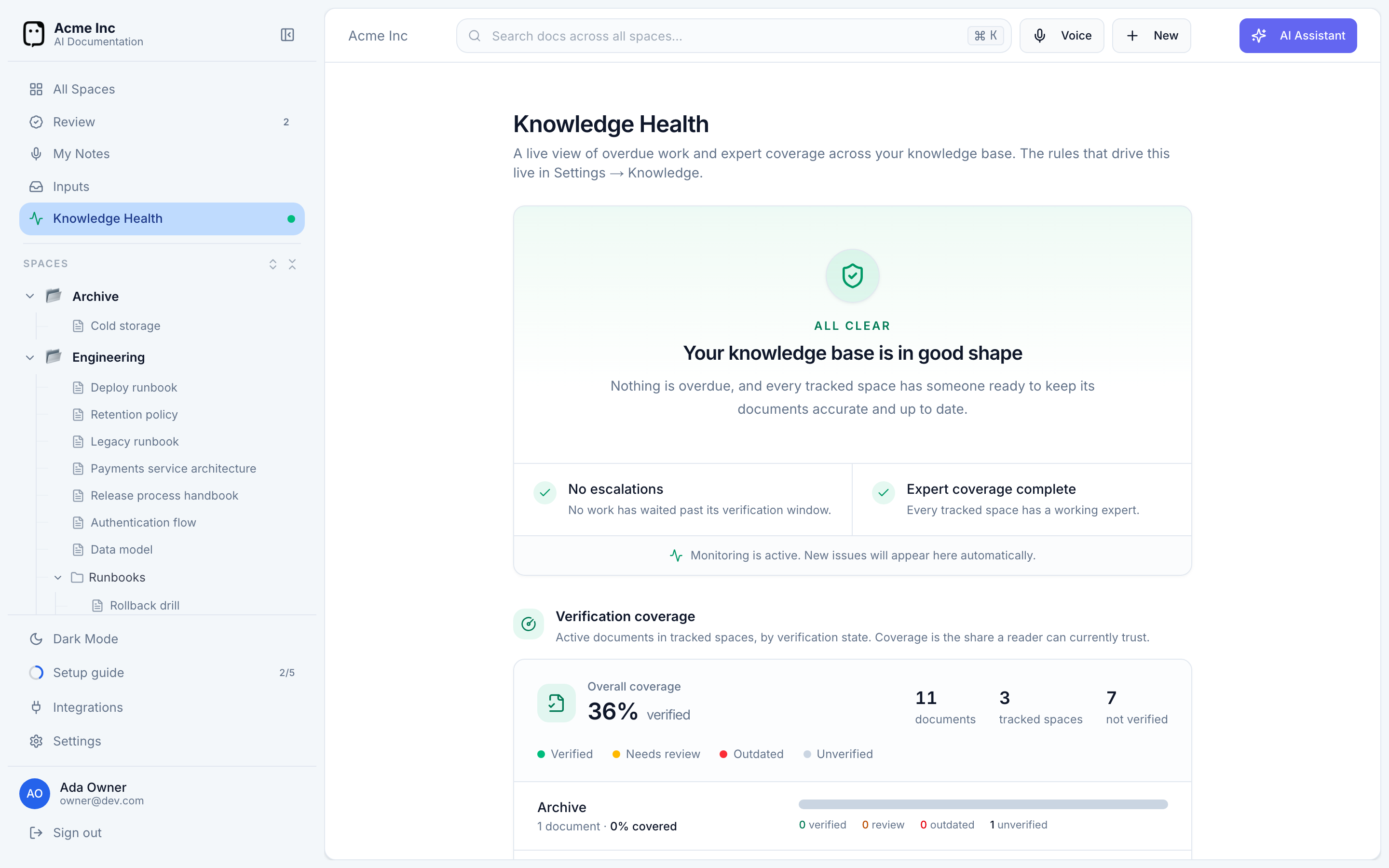
The Knowledge Health dashboard gives you a single view of how trustworthy your documentation is — what's overdue, which spaces lack an expert, and how much of your knowledge base is verified. Find it under Knowledge Health in the sidebar.
It's available to organization owners and anyone with the View knowledge health permission.
What the dashboard shows
When everything's in order, the dashboard says so — Your knowledge base is in good shape. Otherwise it surfaces what needs attention, in a few sections.
Escalations
Work that has waited longer than its verification window (capped at 90 days) — documents that need verifying, or proposals no one has decided on. Unclaimed items need an owner; you can Assign or Reassign them to a person right from here.
Missing experts
Tracked spaces with no expert who can edit their documents. Everything in them is ownerless — questions and reviews route to nobody until it's fixed. Each links to Add experts (if there are none) or Fix access (if the assigned experts can't edit the space). See Experts & SMEs.
Verification coverage
The share of your active documents that are currently verified, overall and per space. Each document sits in one of four states — Verified, Needs review, Outdated, or Unverified — so you can see at a glance which spaces a reader can trust. See Verification & staleness.
AI proposals
How AI-proposed edits fared over the last 30 days — how many were proposed, the acceptance rate, and how many are still awaiting review — broken down by source (capture, ticket and PR reviews, and assistant edits).
Questions
How Slack questions resolved over the last 30, 60, or 90 days — the resolution rate, whether answers came from docs or an expert, and a Knowledge gaps list of the questions your docs couldn't answer. Those gaps are your clearest signal of what to document next.
The rules behind the dashboard — which spaces are tracked, and how long a verification window is — live in Settings → Knowledge.