
GitHub
Index your repositories so Docpipe can ground answers in code and turn merged PRs into doc updates.
Connecting GitHub lets Docpipe read the repositories you choose. That does two things: it grounds answers and documents in your real code, and it turns merged pull requests into proposed documentation updates.
Setting up GitHub requires admin access (organization owner, or a role with Manage org settings).
Install the GitHub App
- Go to Settings → Integrations → GitHub and select Connect GitHub.
- A GitHub window opens. Choose the account or organization to install on.
- Choose which repositories to share — all of them, or a specific selection — using GitHub's own repo picker. Docpipe only ever sees the repos you grant.
- Finish on GitHub; the window closes and Docpipe confirms the connection.
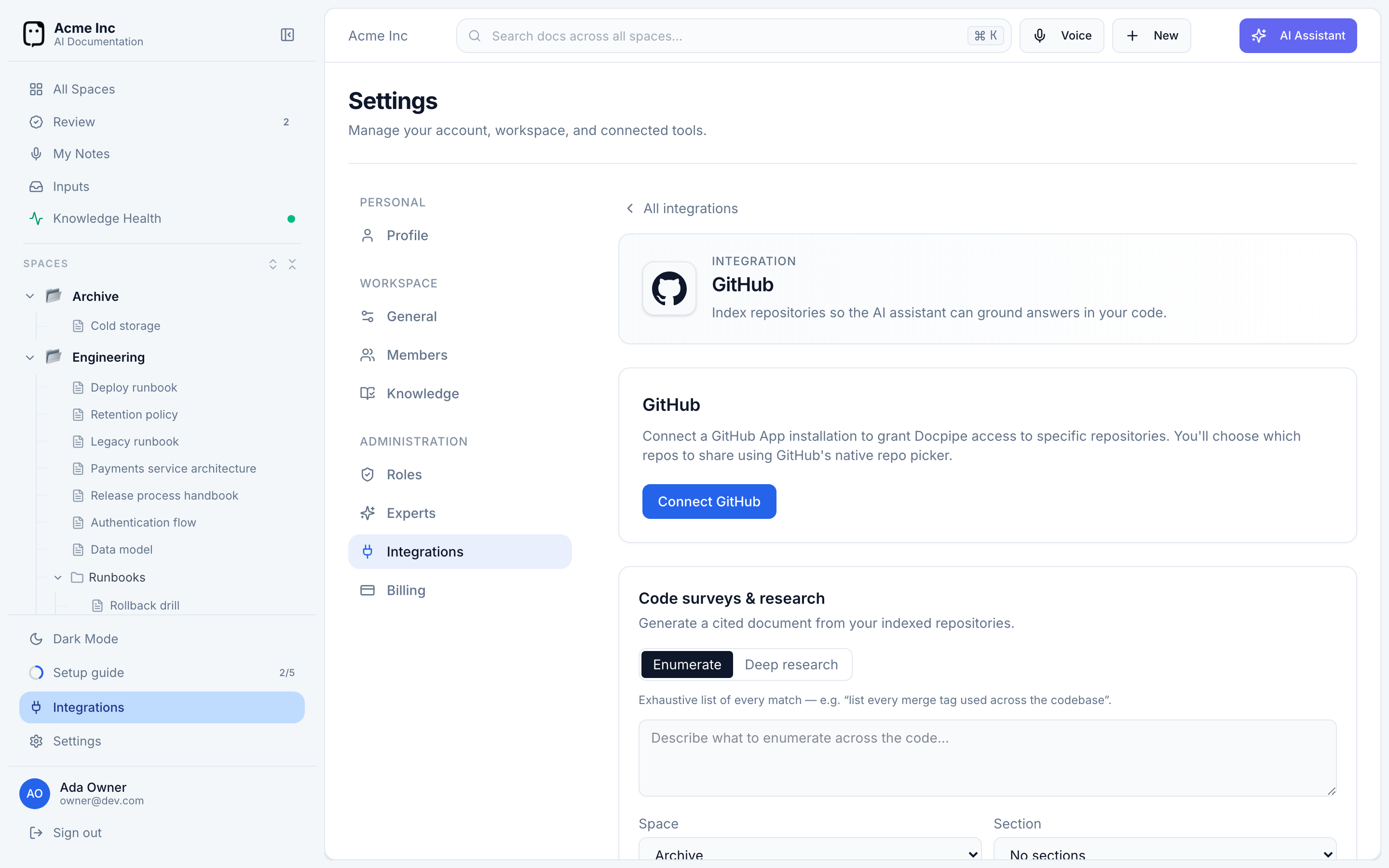
You can add more accounts later with Connect another account, and change which repos are shared any time from Manage, which opens the app's settings on GitHub.
Indexing your repositories
After you connect, Docpipe indexes the shared repositories so their contents are searchable. Each repo shows its status — Indexed, Indexing…, Pending, or Index failed — and when it was last indexed.
Indexed code lets the AI assistant ground answers in your actual codebase, and powers code-aware documents and research (see Code-aware docs). Indexing is incremental: select Refresh repos to pick up changed files, and Docpipe re-indexes them in the background.
Turn merged pull requests into doc updates
Under Pull-request review, choose which repositories take part. When a pull request is merged in one of them, Docpipe reviews the docs it may have made stale and proposes updates — reviewed like any other change before they're saved.
- Which spaces receive these proposals is set per space, under Settings → Knowledge.
- With a webhook configured, merges are reviewed within a minute or two; without one, an hourly sweep picks them up, so reviews can take up to an hour.
Pull-request review needs the app to have read access to pull requests. If it doesn't yet, Docpipe shows a prompt to approve that one permission on GitHub — everything else keeps working in the meantime.
If the installation is suspended
If your GitHub installation is suspended, Docpipe shows a Suspended badge and a prompt to unsuspend it from your GitHub settings. Indexing and review pause until you do.
Disconnect
To remove the integration, select Disconnect GitHub on the settings page and confirm. This removes the connection from Docpipe; to fully uninstall the app, also remove it from your GitHub settings.